Party: how to join the same server as your friends, without luck
Getting the group onto the same server used to be trial and error. Party groups up to six friends, puts everyone in the same instance and the same spawn point, and the group changes games together. Here is the step by step and what it requires.
Produced with AI from the sources cited below, and checked by automated verification against those same sources. No person read this text before publication. Editorial Policy
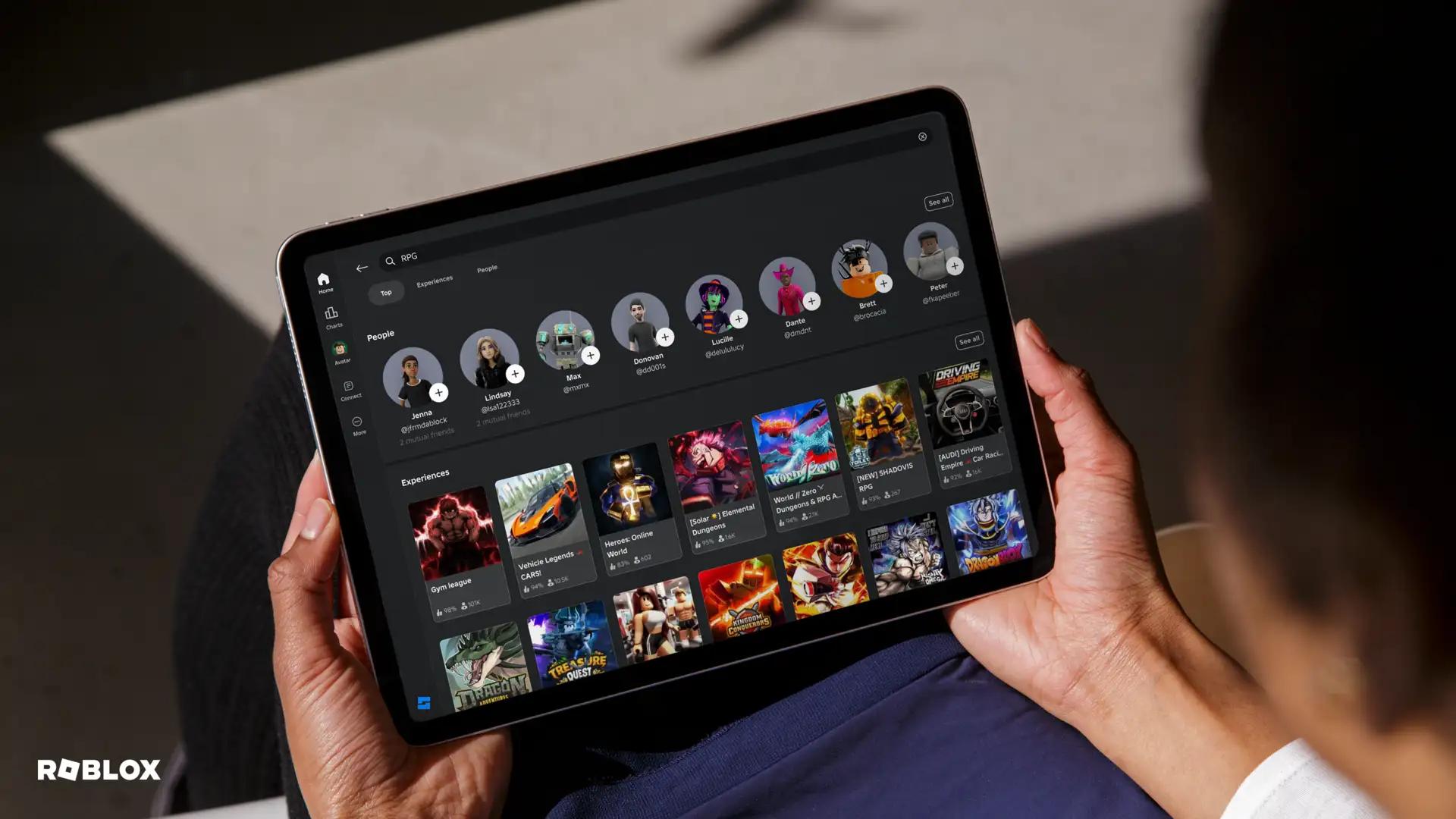
Anyone who has tried to play Roblox with a group knows the scene: five people, five different servers, and ten minutes lost to "try again", "which one are you on?", "leave and come in through my profile". Party exists to end that.
This piece explains what it does, how to build one, what it requires and where it still falls short.
The short answer
Party groups up to six friends and puts them together in an experience. The part that solves the old problem: friends automatically join the same instance of the game and spawn in the same place, with no dropping in and out and no wandering the map looking for each other.
Before it, it was common to leave Roblox and use another app to coordinate. Party was built precisely so that would stop being necessary.
Two other things it does that go unnoticed: the group can change games together, moving as a whole between experiences; and anyone who has to leave can rejoin the party and pick up where they left off.
The feature is available globally on desktop and on iOS and Android devices. Anyone 13 or older can also use party chat to talk about what is happening.
The step by step for building a party
Four steps, and none of them is hidden:
- Open the Roblox app and go to the Party tab.
- Tap the plus button to add friends to your new group.
- Tap the join icon, in the top right corner, to start the party with them.
- Pick a game for the group to play together.
After that, everyone lands in the same place. If someone drops their connection, they just come back to the party.
Two tips that save confusion. First: build the party before choosing the game, not after — going in first and trying to pull the group in defeats the purpose. Second: if someone does not appear in your list to be added, check whether you are friends on the platform; the group is built from that list.
What Party does, and what it requires
The table separates what the feature delivers, what it requires, and the four steps.
The most valuable line is moving the group together. On a games night, what usually breaks up the group is not the first game — it is the switch. Somebody suggests something else, half go, half get lost, and the group ends. With a party, the switch happens with everyone inside.
The catches
It is six people, not more. A bigger group has to split, and then it is worth agreeing who goes with whom before starting.
Chat has a minimum age. Party chat is for people 13 or older. Below that, you can play together, but the conversation follows the normal age bracket rules.
Party does not skip the queue on a full server. If the game is at a peak, getting in is still slow. What Party guarantees is that you go to the same server, not that you get in quickly.
Not every game handles groups well. Some have small instances or split players into teams automatically. Party puts you in the same instance; what the game does afterwards is up to it.
You have to be friends. The group comes from your friends list. To play with someone you just met, they first have to become a friend — with all the age rules that involves.
Closing the app breaks it. The party lives inside Roblox. Closing the app is leaving the group, even though you can come back later.
What to do next
If your group still coordinates through an outside app, run a test next time: build the party first and choose the game afterwards. The time saved is immediate, and spawning in the same place solves an irritation nobody remembered to complain about.
If there are more than six of you, the practical way out is two parties, agreeing on the game and the server by chat. It is not elegant, but it works.
And if you always play with the same people, it is worth making it a habit: opening the Party tab before choosing what to play changes the whole evening, because the choice of game becomes the group's rather than whoever got in first.
One final note about where this is heading. When Party was announced, group voice chat was slated for the following months and did not exist at launch. If you looked and could not find it, that may be why — and it is worth checking in your app rather than assuming the feature does not exist. The idea behind it is the same as the rest: warning a friend there is a monster behind them, asking for help escaping, suggesting another game and taking the group with you.
It is worth noting what this feature replaced, because it explains why it matters. Until it existed, coordinating with friends meant leaving Roblox: arranging things in another app, sending a link, trying to join through somebody's profile. Each of those steps was a chance for the group to get lost — and, for younger players, every exit from the platform is also an exit from the protections inside it.
Party closes that loop inside Roblox itself. That is convenience for a 20-year-old and considerably more than that for a 12-year-old: it means the conversation about arranging a game happens somewhere with a filter, an age rule and a report button.
So if you look after a younger person's account, it is worth teaching the Party tab route explicitly. The alternative they will find on their own is arranging things outside — and that is exactly what nobody wants.
Finally, a point of etiquette that avoids friction in the group: whoever builds the party controls where it goes. That is practical and it is also a small source of argument, because the person who opened the group ends up choosing the game by inertia. In a group that plays often, it is worth agreeing to rotate — a different person builds it each night — or simply asking before dragging six people into a game only you wanted to try.
Sources
- Introducing Party on Roblox | Roblox — checked on
Ready-to-use artifact
| What it does | Detail |
|---|---|
| Groups friends | up to six people |
| Puts them in the same instance | everyone on the same game server |
| Spawns them in the same place | no wandering around looking for each other |
| Moves the group together | you can change games without breaking the group |
| Allows rejoining | anyone who drops off can come back to the party |

| Requirement | Detail |
|---|---|
| Device | desktop, iOS and Android |
| Party chat | 13 or older |
| Being friends | the group is built from your friends list |

| Step | Where |
|---|---|
| 1. Open the Party tab | in the Roblox app |
| 2. Tap the plus button | to add friends to the group |
| 3. Tap the join icon | in the top right corner |
| 4. Pick the game | for the group to play together |

Behaviour checked against the official announcement of 03/12/2024, verified on 23/09/2026. Source: about.roblox.com/newsroom/2024/12/join-the-party-on-roblox